
This article shows the process of an Instant Employment Verification Check for candidates.
Please see the attached screenshots showing what you will see when submitting your application for the Instant Employment Verification check.
Note: pop-ups should be allowed on this page.
When first entering the check, you will see the screen below.
Note: pop-ups should be allowed on this page.
When first entering the check, you will see the screen below.
Click image to enlarge
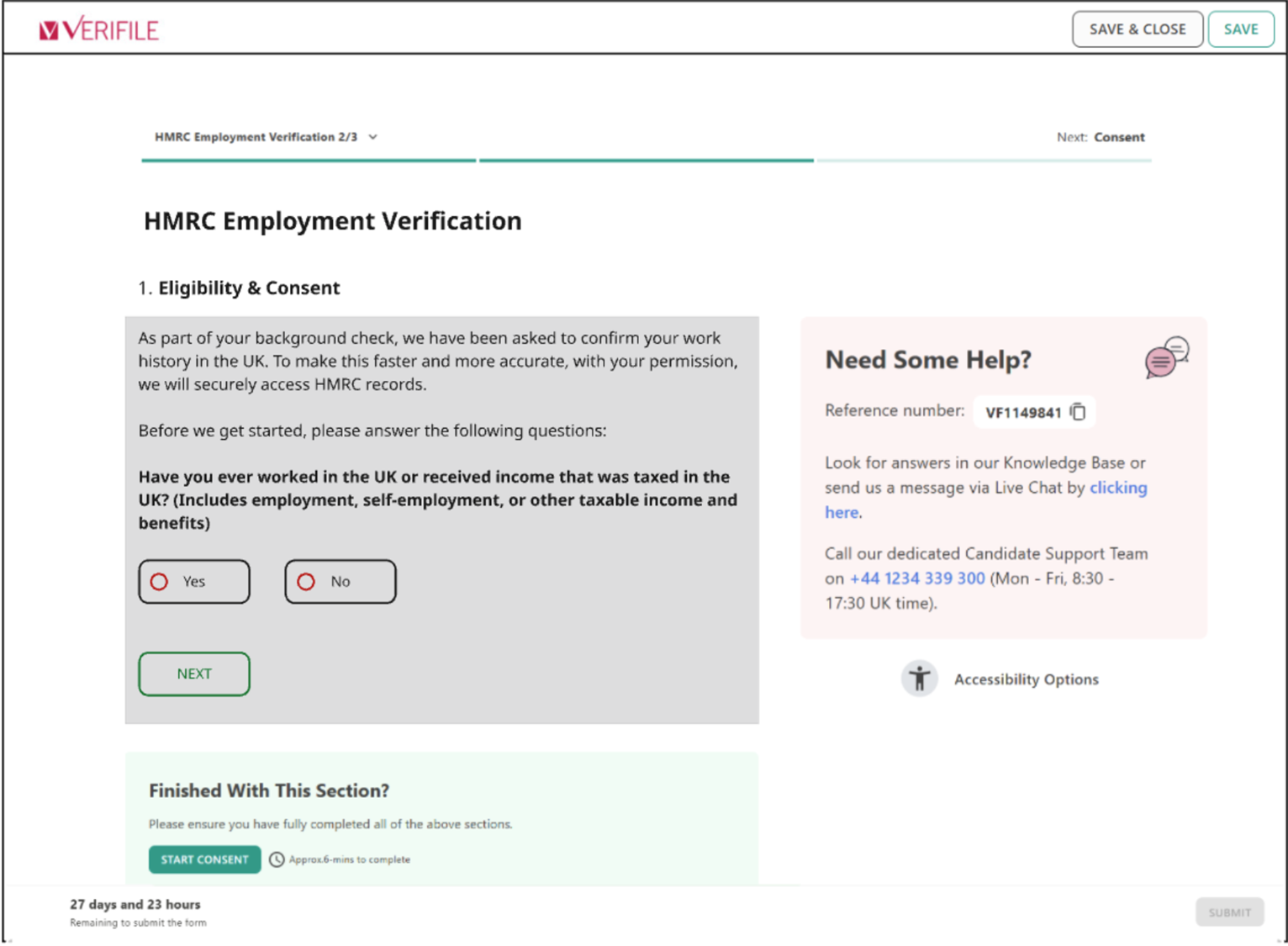
- If you press No, the check will be cancelled.
- However, if you press Yes, you will see the screen below:
Click image to enlarge
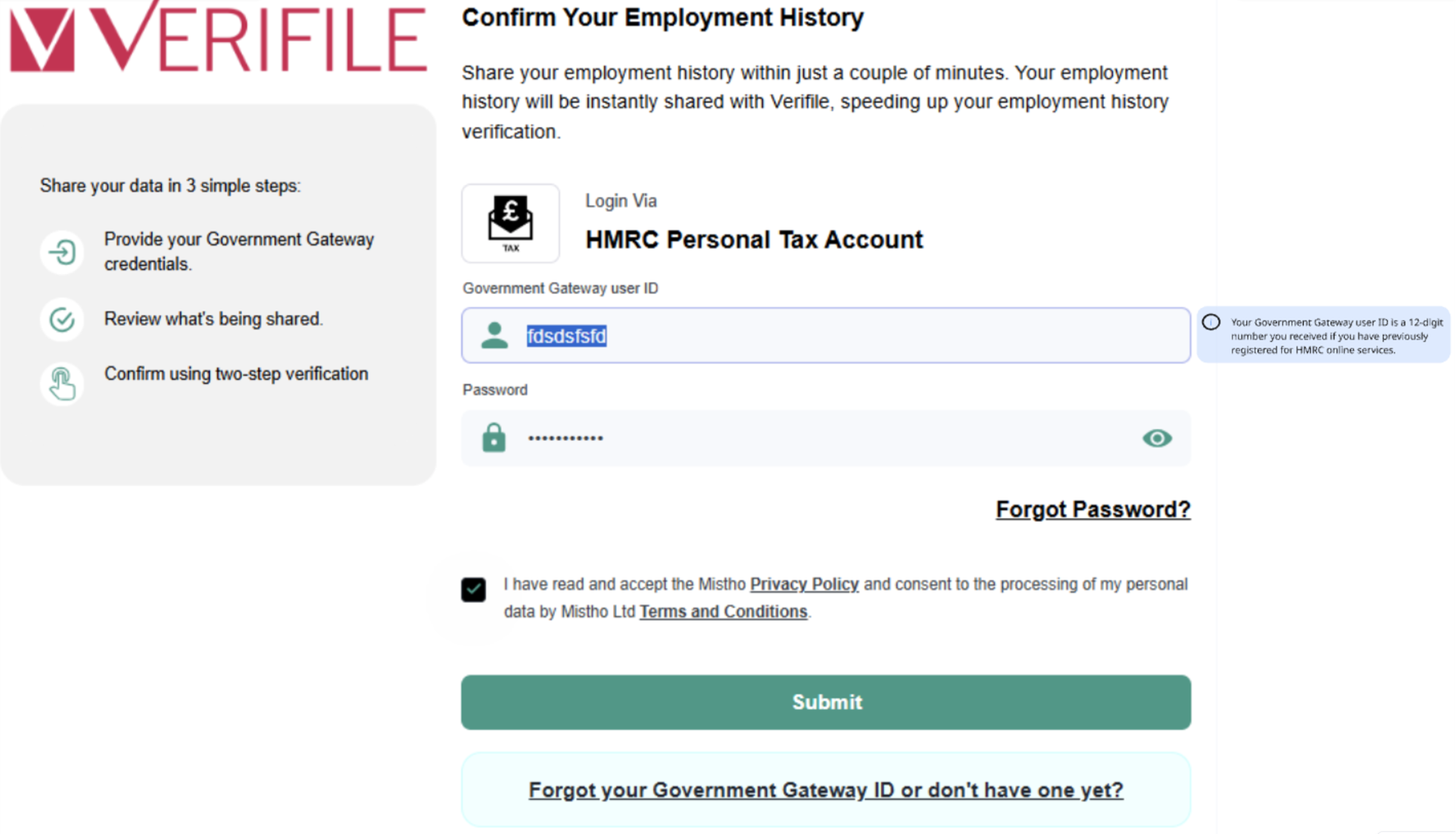
You will be required to log in securely to your HMRC Personal Tax Account.
(Don't worry, we don't store your login details; these remain secure). If you don't have a log in, create one using the link below the Submit button.
(Don't worry, we don't store your login details; these remain secure). If you don't have a log in, create one using the link below the Submit button.
Click image to enlarge
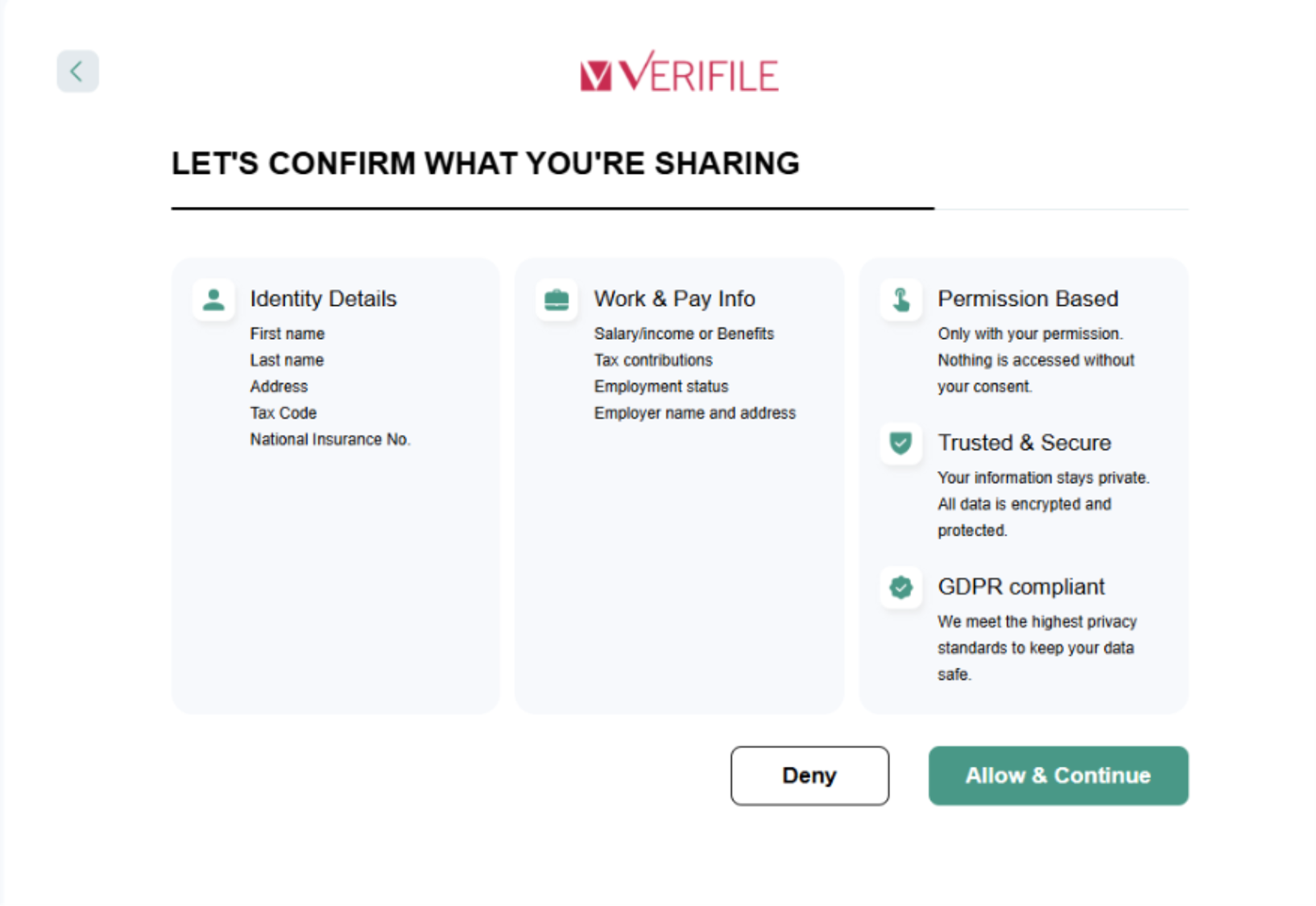
The next screen will confirm what the check is requesting that you should share with us and only for that purpose. Allow & Continue on this screen.
Click image to enlarge

After a short period of syncing with HMRC, you should see the screen below.
Click image to enlarge
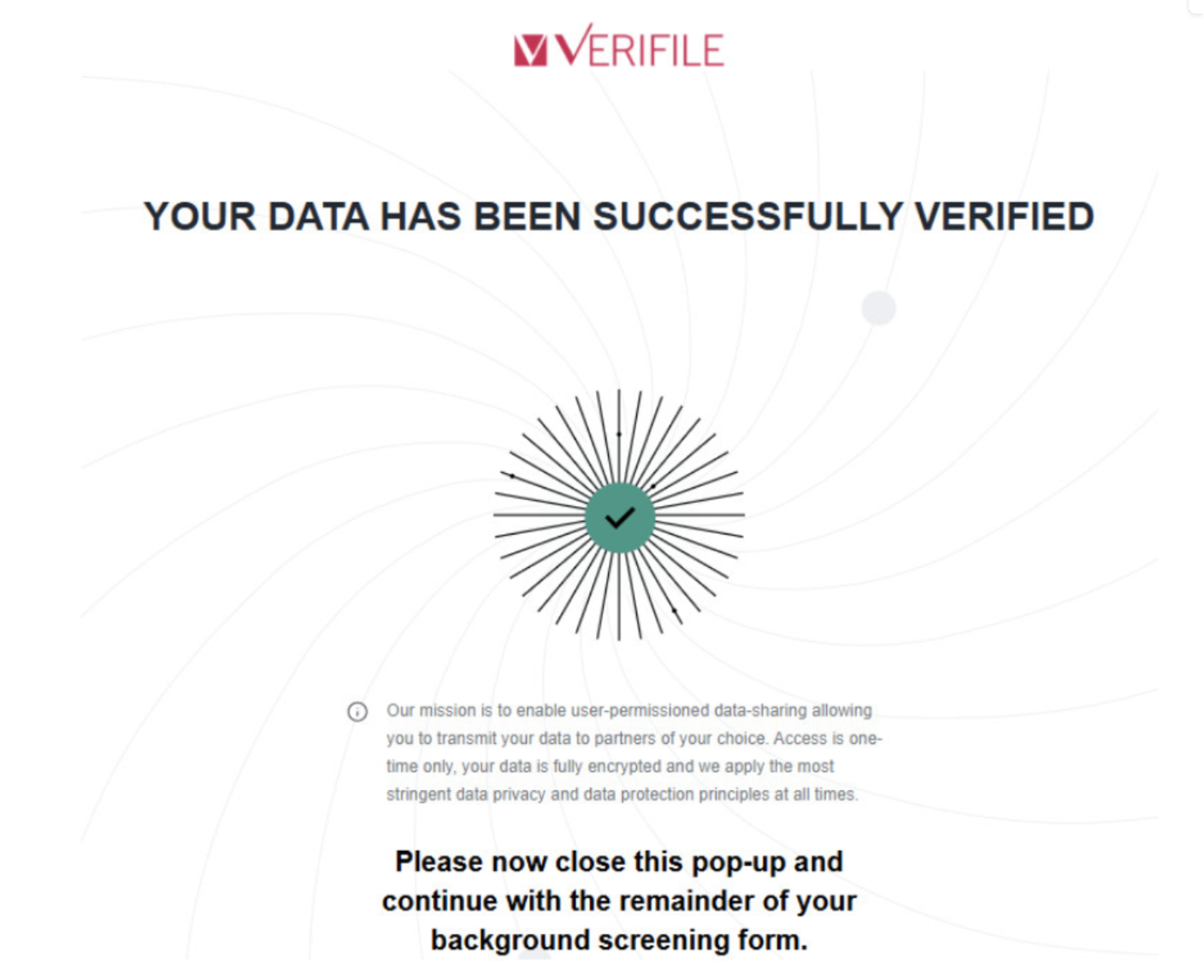
Once the above is completed, and you've closed the pop-up window, you will then return to the online form via the Verifile candidate portal and can proceed with the consent page and submission.
Need help?
Live Chat is available on the right, and you can self-serve via our Help Centre.
Call us at +44 (0) 1234 339 300 (Monday to Friday, 8:30 a.m. to 5:30 p.m. U.K. time).
Email hello@verifile.co.uk.
Need help?
Live Chat is available on the right, and you can self-serve via our Help Centre.
Call us at +44 (0) 1234 339 300 (Monday to Friday, 8:30 a.m. to 5:30 p.m. U.K. time).
Email hello@verifile.co.uk.
Was this article helpful?
That’s Great!
Thank you for your feedback
Sorry! We couldn't be helpful
Thank you for your feedback
Feedback sent
We appreciate your effort and will try to fix the article